Smart Teddy
TEAM
4 Members
ROLE
Designer/Researcher
TIMELINE
Sep 2023-Dec 2023
TOOLS
Figma, Miro, Procreate
Smart Teddy is designed for college students who miss their pets back home, offering them a way to interact and connect virtually for the same sense of comfort and companionship they’d experience in person.
The project was divided into multiple phases, emphasizing the value of each step in the design process.
Step 1: Identifying project topic and user group
We brainstormed various problems and potential solutions before reaching a consensus on our project topic.
Problem Space
College can be an extremely stressful time, yet many students are unable to have pets on campus. Although animal companionship can be comforting, Cornell students may find it difficult to access that support when they feel stressed or sad.
User Group
Stressed out students who miss their pets at home.
Step 2: Interview plan and protocol
I conducted two 30-minute contextual interviews with participants from our target user group, while our group conducted eight interviews in total.
Interview Goal: To gather information about the students’ general experiences with pets, both with their own, and with pets they may or may not have been able to interact with on a college campus.
Step 3: Data Analysis
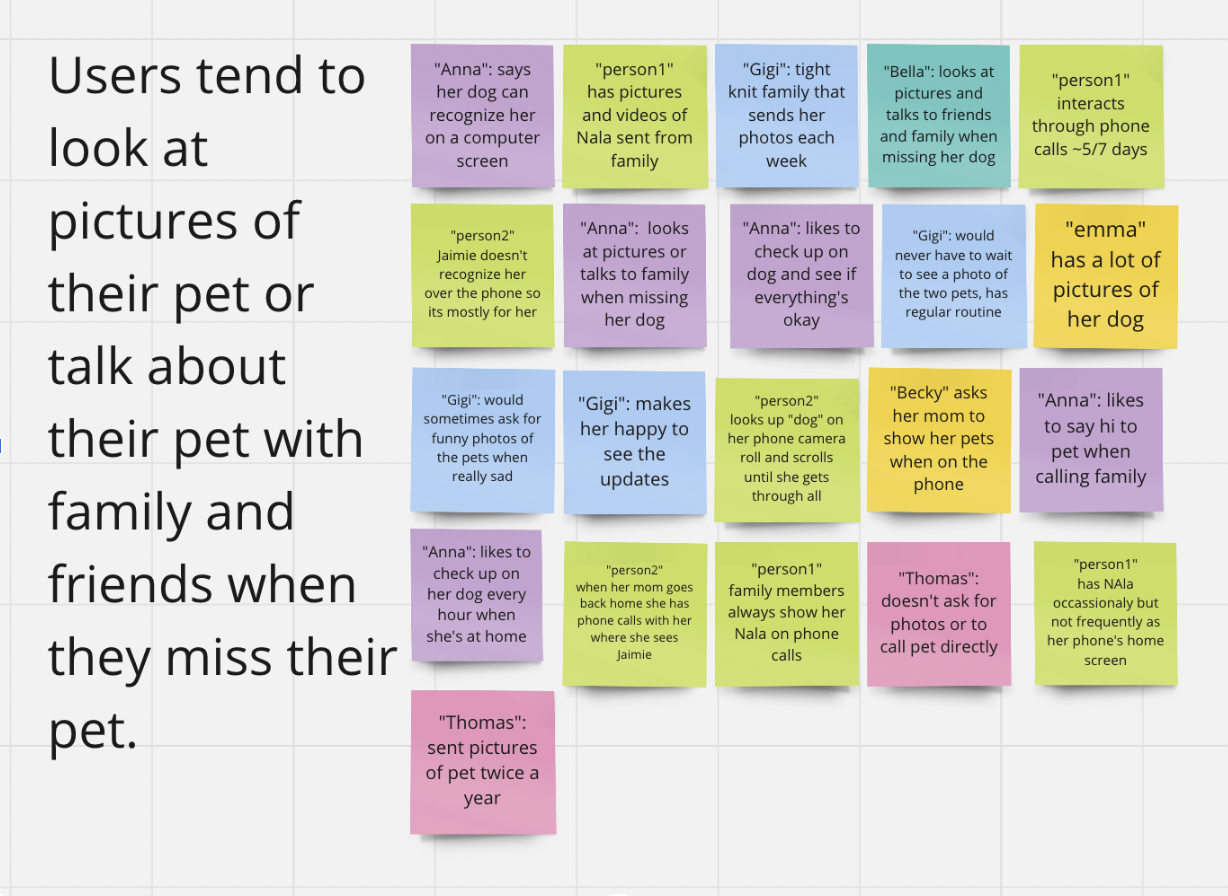
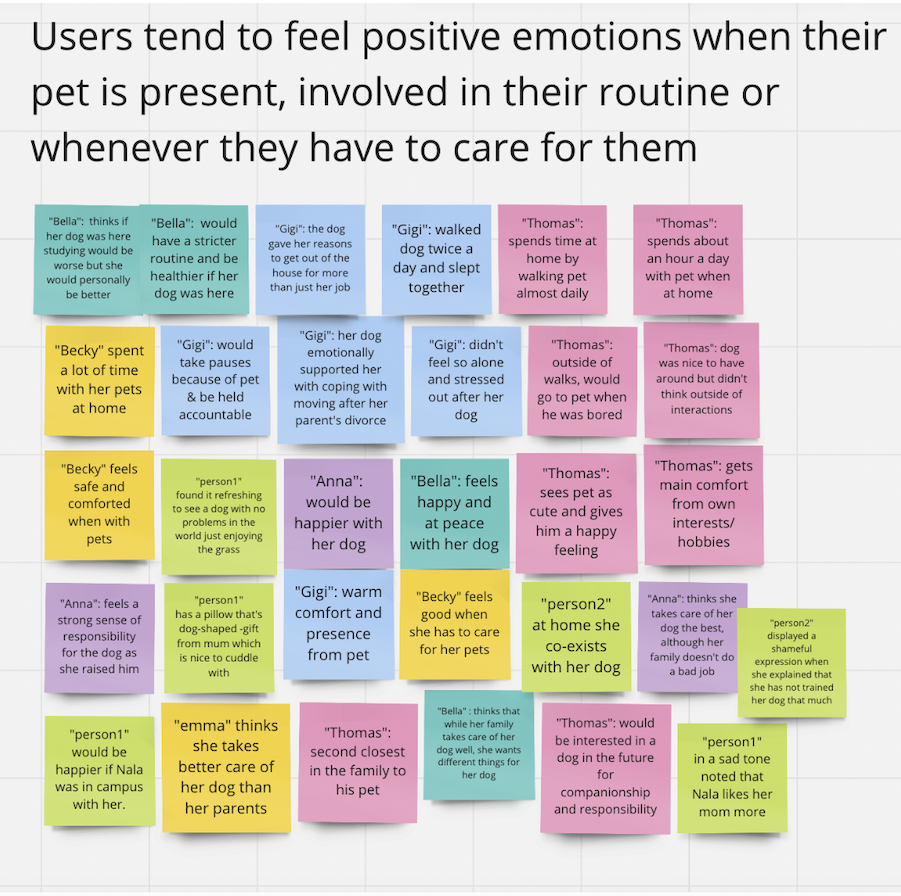
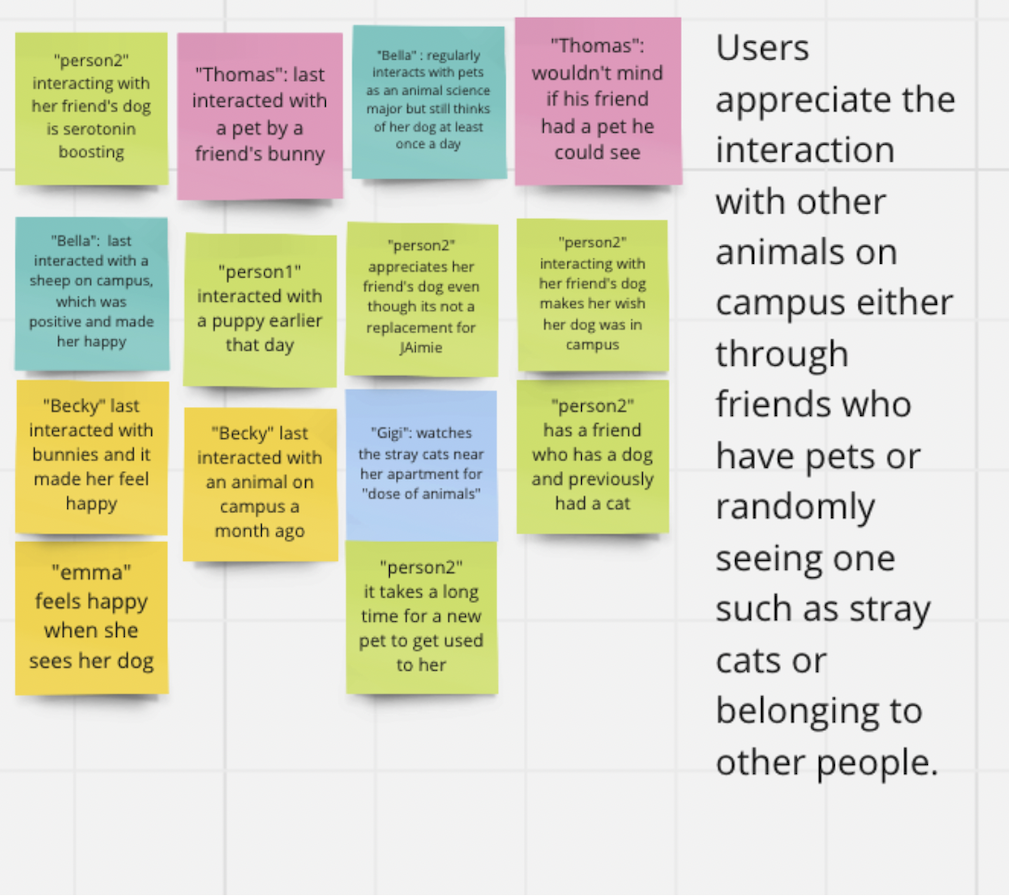
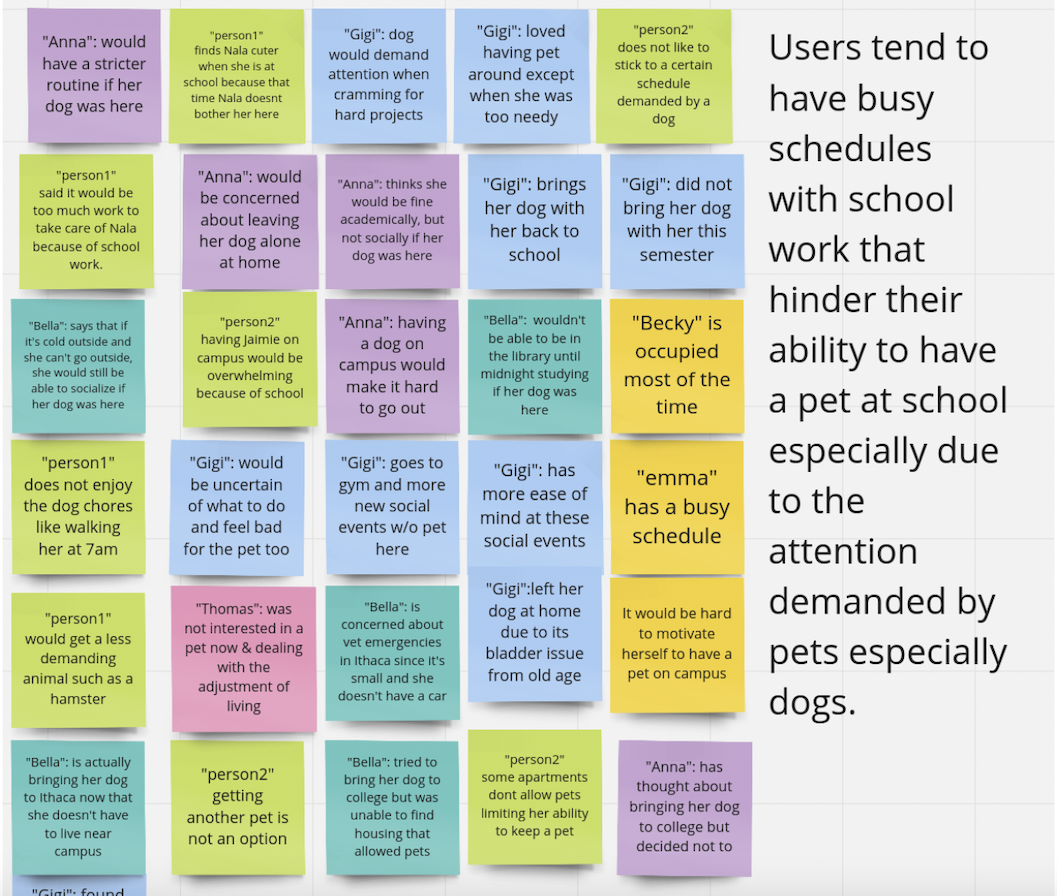
Based on the interview data, we created an affinity diagram to organize our findings into themes and insights. We then used these insights to better understand common behaviors, challenges, and attitudes within our user group.
Screenshots of the affinity diagram on Miro:
Key insights and observations:
- Insight 1: Users often look at photos of their pets or talk about them with family and friends when they miss them.
- Insight 2: Users tend to feel a personal connection to their specific pet that cannot be replaced.
- Insight 3: Users often have busy academic schedules that make it difficult to care for a pet at school, especially pets that require significant attention, such as dogs.
We also developed a persona based on the user data and requirements that our product will need to fufill to meet these user needs. This is all shown here:
Step 4: Brainstorming
As a group, we explored multiple product ideas and discussed which solution would be the most unique, creative, and useful for our users.
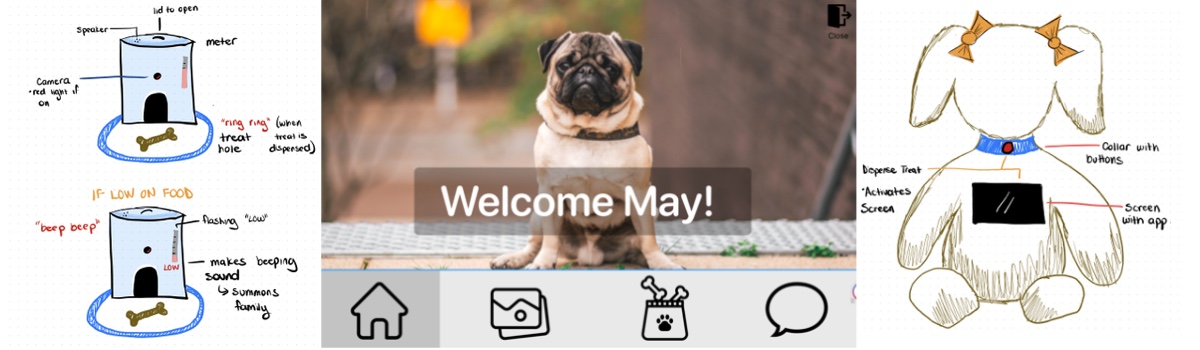
We sketched out the idea of our product:
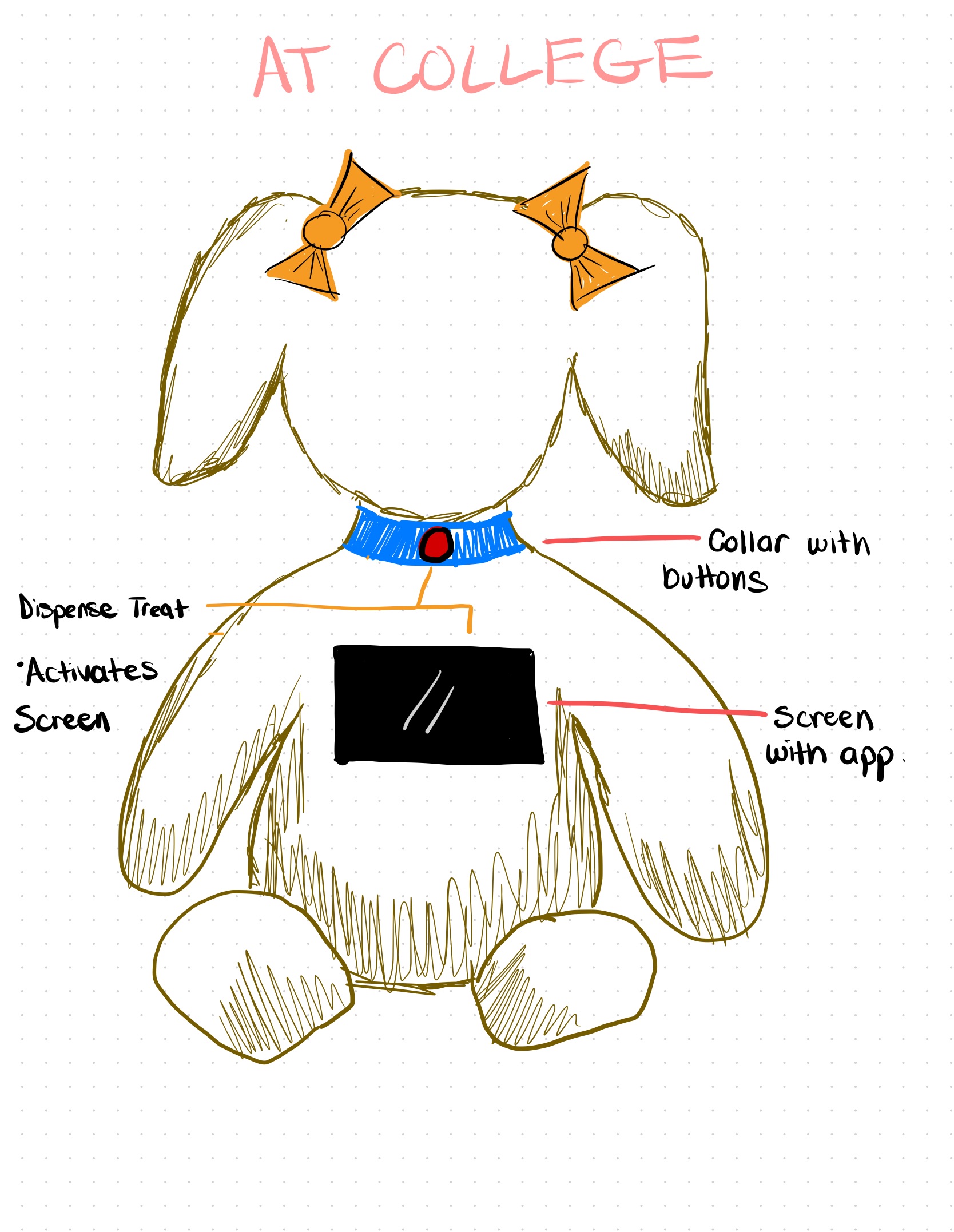
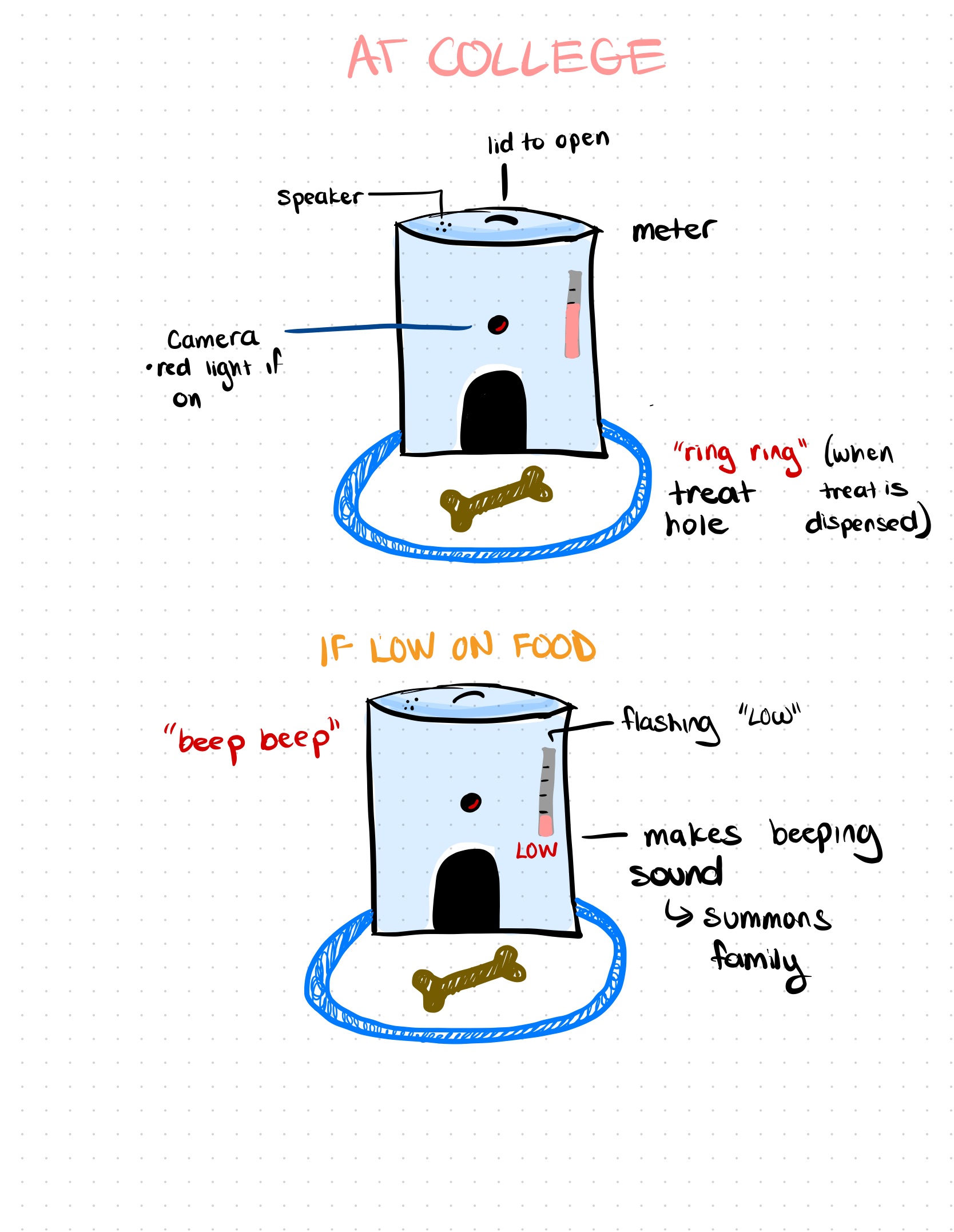
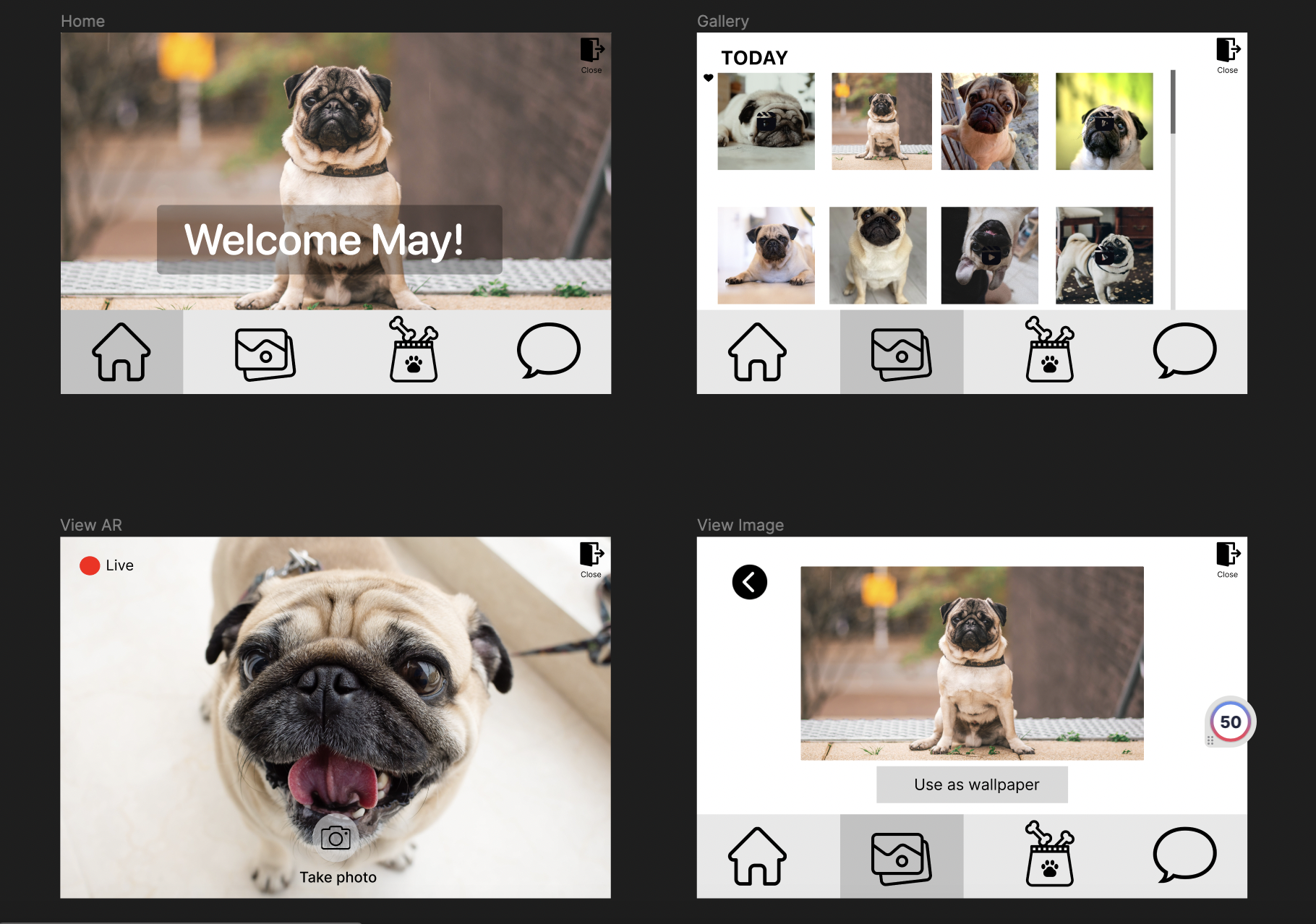
Our Design: Our Design: A customizable stuffed animal paired with a treat dispenser that users can set up at home. The stuffed animal allows users to see and interact with their pets live through its built-in LCD touchscreen. Features such as remote treat dispensing, snapshots, and dispenser status updates create a meaningful experience for both users and their pets.
We then connected our user goals to a specific task within the design. We outlined the task, created a scenario, and developed a storyboard showing how a user would complete the task with the product.
Step 5: Prototyping
Created a mid- to high-fidelity prototype based on feedback from multiple group iterations. Since the product does not include a connected app, the prototype represents the stuffed animal’s screen-based interface and user experience.